This document is a living document to be updated by the community!
Please note that this is a living document, some features may not have information/helpful tips about them yet. If you are still confused, join our discord and create a forum post or suggestion post! http://discord.vindexcraft.net/.
Changes the text on the specified line on a Lockette sign
/drinks
Get a list of craftable drinks
/recipe <drinkname>
View the crafting recipe of a drink
Cars
Car Commands
Command
Description
/car OR /vehicle
Root command
/car engine on
Turns on your vehicle
/car engine off
Turns off your vehicle
/car add <player>
Add a player to your vehcile
/car remove <player>
Remove a player from your vehicle
/car lock
Unlock your current veicle
/car unlock
Lock your current vehicle
/car despawn
Despawns the vehicle you are in
/car reset
Despawns your vehicles from anywhere
/car fuel
Check the remaining fuel of your current vehicle
/car license
See the ownership of the closest vehicle
/car bombdoors
Open/close fighter jet bomb doors
/car shop
Opens the vehicle shop GUI
Phones
Privately communicate with other online players using a phone. You can purchase phones at the Seawall Wireless store (945, 63, -1010). Some players prefer using the /minephone command as a quick and easy way of accessing your phone, but it has some limitations. In regions that restrict commands (i.e. prison and heave), the /minephone command does not work, however you are still able to use the phone item.
Phone Commands
Command
Description
/minephone
Opens your phone.
/minephone call accept
Answers an incoming call.
/minephone call end
Ends your call.
/minephone call add <name>
Add another online player to your call.
/minephone power <on/off>
Toggle whether or not players online are able to call you.
/minephone call 911
Contact the Vindex Police Department during an emergency or if you are a witness to a crime.
/minephone call 8294
Contact a Taxi Driver who can pick you up from your current location and transport you anywhere in the city.
Properties
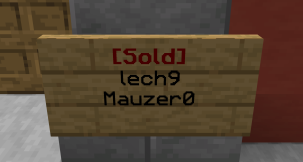
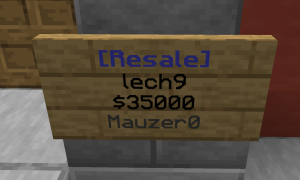
Example of a Property Sign in Sold modeEvery player has the opportunity to purchase or rent a property. Generally, this can be done by clicking the property sign around the exterior of the region.Example of a Property Sign in Resell mode
Property Commands
Command
Description
/as
Root Command
/as info region <propertyName>
Displays info on a specific property
/as addfriend <friendName> <propertyName>
Adds a friend to a Property
/as delfriend <friendName> <propertyName>
Deletes a friend from a Property
/as resell <sellPrice> <propertyName>
Sets a property to sell mode
/as stopresell <propertyName>
Removes a property from sell mode
/as unrent <propertyName>
Unrents a rentable property
Channels
Most jobs have access to a private channel that allows you to communicate with other players that have the same job.